Hi, I am Harshita Bhargava, a Product Designer

Mapping the
unseen complexity.
Simplified by design.

AI PLAYGROUND

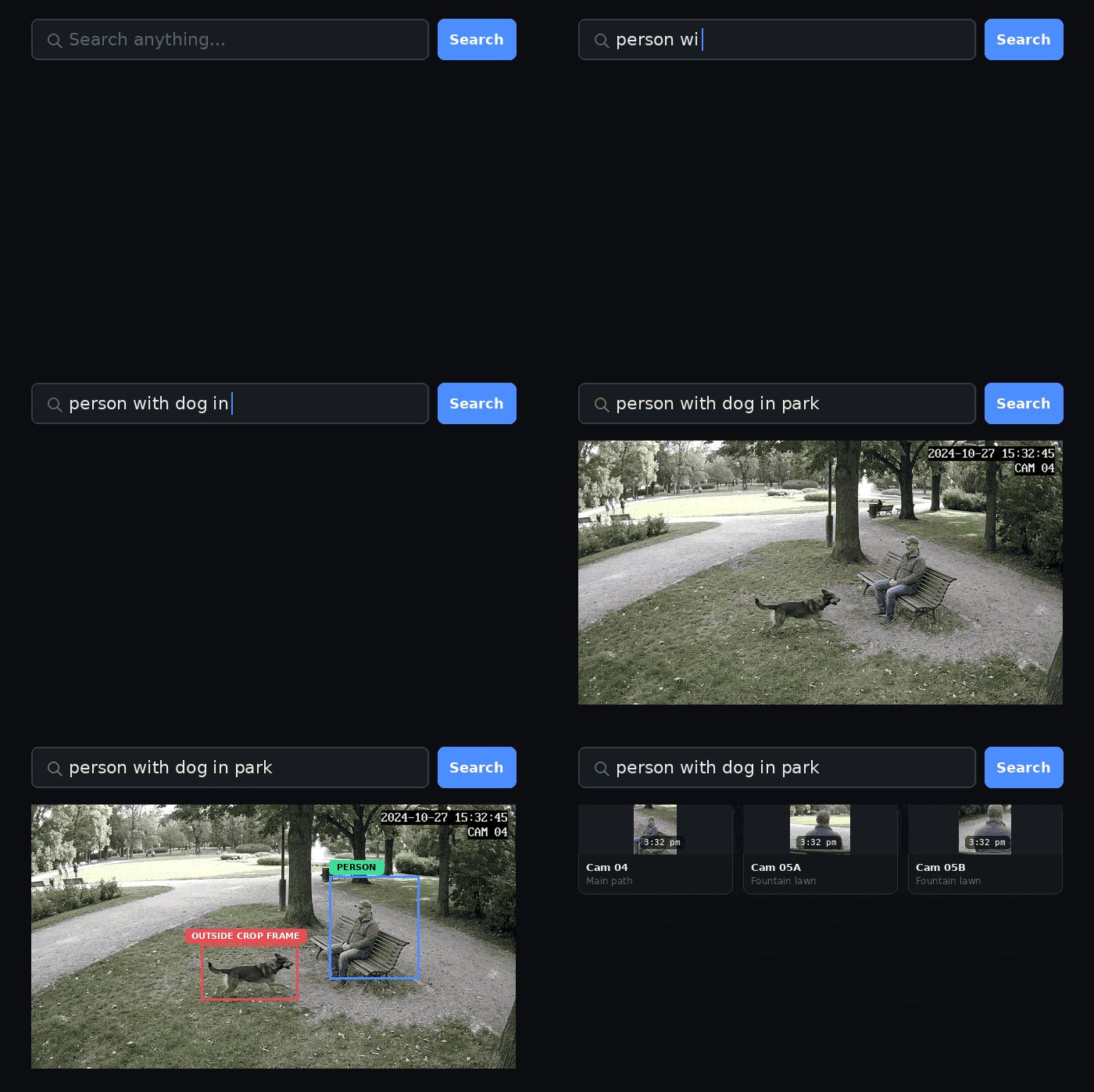
Demo of a semantic video search query and its result, illustrating the perception gap

Bridging the Perception Gap in Semantic Video Search

Operators expected semantic search to work like an LLM: type anything, get relevant results. But crop-frame search only catches objects attached to or near a person, so queries silently failed. I designed a system of in-context nudges that surfaces how the AI is interpreting each query, before, during, and after the search.
AI Design Product Design UX Research
Oval logo

The Oval Screen Recorder

I am designing and vibe coding a Chrome extension for screen recording, because existing tools did not give me enough control, like how and where to zoom in, and the little micro interactions that happen when you highlight something on screen.
Product Design UX Design Vibe Coded

PROJECTS

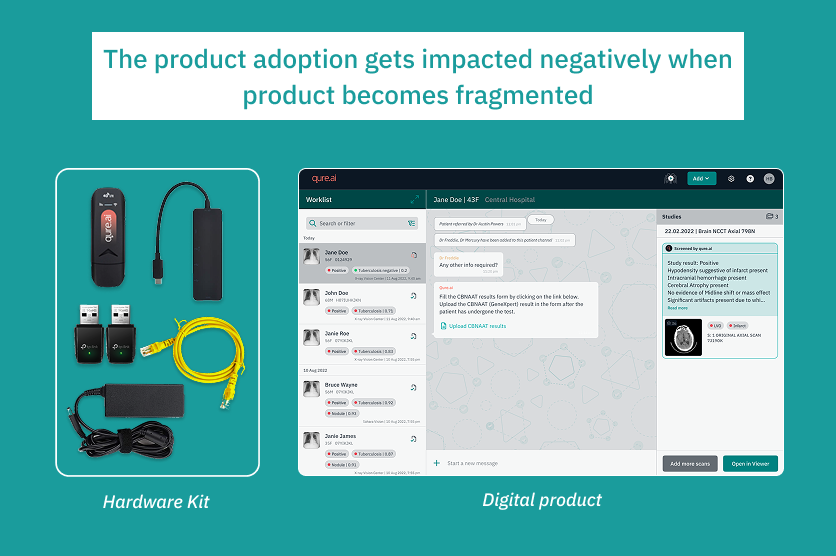
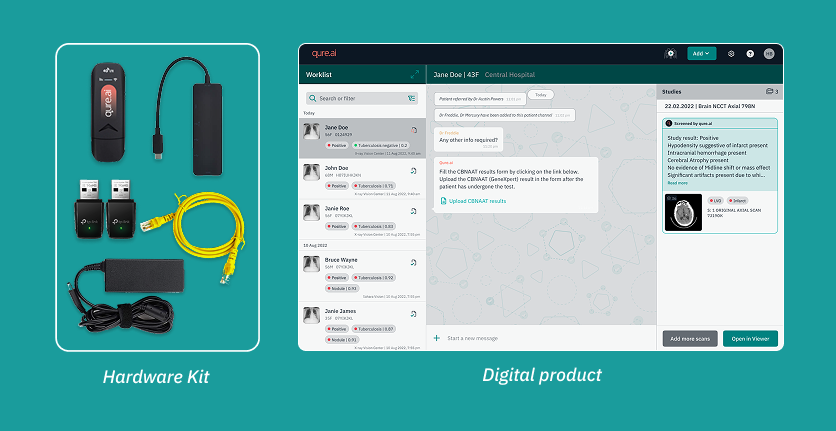
Case study cover: hardware kit and qTrack digital product screens for the TB Screening Camp project
Problem

qTrack is an AI-based chest X-ray screening platform, deployed in health screening camps to identify TB patients. These camps run in low resource, time sensitive environments with poor infrastructure, limited technical support on site, and no internet.

A key feature of registering patients via the qTrack app on modality software was not being adopted by users on the ground.

The Customer Success team reported this pattern across multiple deployments, where users were unable to use this feature the way it was expected to work.

This feature was the starting point of the product workflow - failure here cascaded into every step after it, reducing adoption of the product's core capabilities overall.

The qTrack hardware kit next to the qTrack app
Discovery

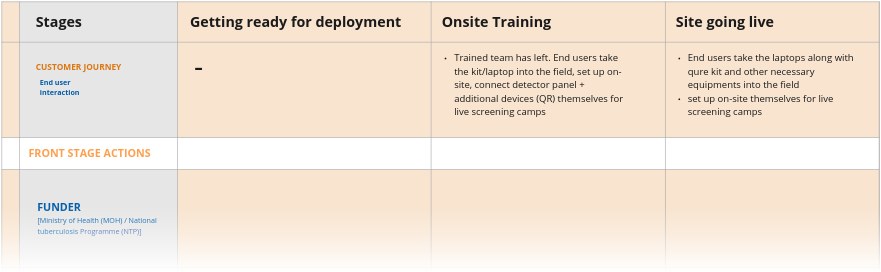
I collaborated with the Customer Success team to map the full customer journey, from deployment, through onboarding, to the site going live.

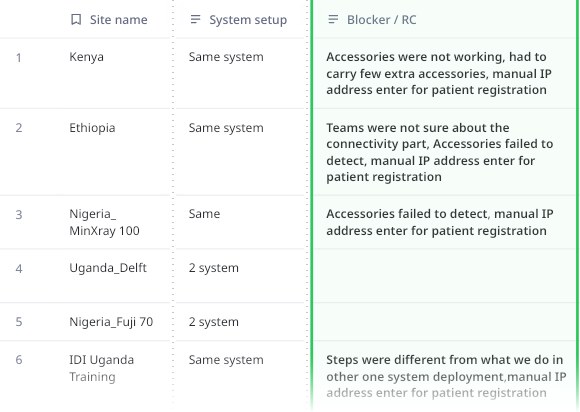
To validate this, we looked back at the previous 6-7 deployments and found a consistent pattern:

  • On site confusion about the right way to connect accessories and hardware, a disconnect between CS and TechOps team
  • Accessories frequently failed to detect
  • Every deployment following a different connection and setup approach, with no repeatable steps
Deployment matrix: site name, system setup and the blocker behind each past deploymentView all deployments ↗
Discovery

I worked with TechOps to understand what was required to make this feature successful. It depended on a chain of setup steps spanning both the product and the physical deployment environment.

Each step had to happen in the right order; getting one wrong meant the rest wouldn't work either.

Mapping the deployment journey in a service blueprint made it clear: critical on-ground setup and connection workflows were not standardized, and this caused last-minute chaos on the ground.

Part of the service blueprint: stages, customer journey and front stage actionsView full blueprint ↗
Core Insight

“The feature was not failing, users were struggling to assemble the setup required to make it work.”

The feature's UX worked as designed; it was surfacing gaps in everything that had to happen around it before a user could ever reach it successfully.

Fixing the feature alone wouldn't have helped. The real problem was everything users had to set up before they could reach it, so that's what I designed for.

Connecting the dots

The blueprint surfaced four insights, each pointing to a specific gap the design needed to close.

1. With scale, custom workflow became impossible to manage

Every deployment used a custom workflow, which worked well when scale was small (6-10 systems for one project), but it became difficult to manage 100+ systems for one project.

Decision: Stop depending on the client side infra, start using the qTrack kits shipped along with the laptop, and standardize the steps.

2. Standardization alone will not help until accountability for pre configuration is clearly defined

TechOps owned accessory pre configuration in the kit, but with so much uncertainty this step often got missed and was left to be figured out on site.

Process update: Add this step as a mandatory check for the TechOps and CS teams on their Jira boards.

Connecting the dots
3. Getting on the product had high friction, making users question the product value

Users skipped the remote access feature because using it involved highly technical steps like finding the IP address of the laptop and then typing it in a mobile browser.

Design opportunity: Improve the onboarding experience by simplifying and reducing the overall connection and process steps, especially where hardware is involved.

4. Mismatch in training timeline vs when users actually start using the product on ground

There's often a months long gap between when a team is trained and when they actually start using the product on camp sites.

Design opportunity: Build guidance into the product itself, so users are not dependent on memory of a one time training done months earlier.

Design solution

I designed an in app guided onboarding workflow, built directly into the qTrack app, taking users through their specific deployment setup, step by step.

These camps often run with unreliable or no internet. The laptop shipped with qTrack installed had to act as trusted support on the ground.

So it became its own section, "Start Screening", mirroring the exact sequence a user moves through on the ground, in the same order, to reduce the uncertainty.

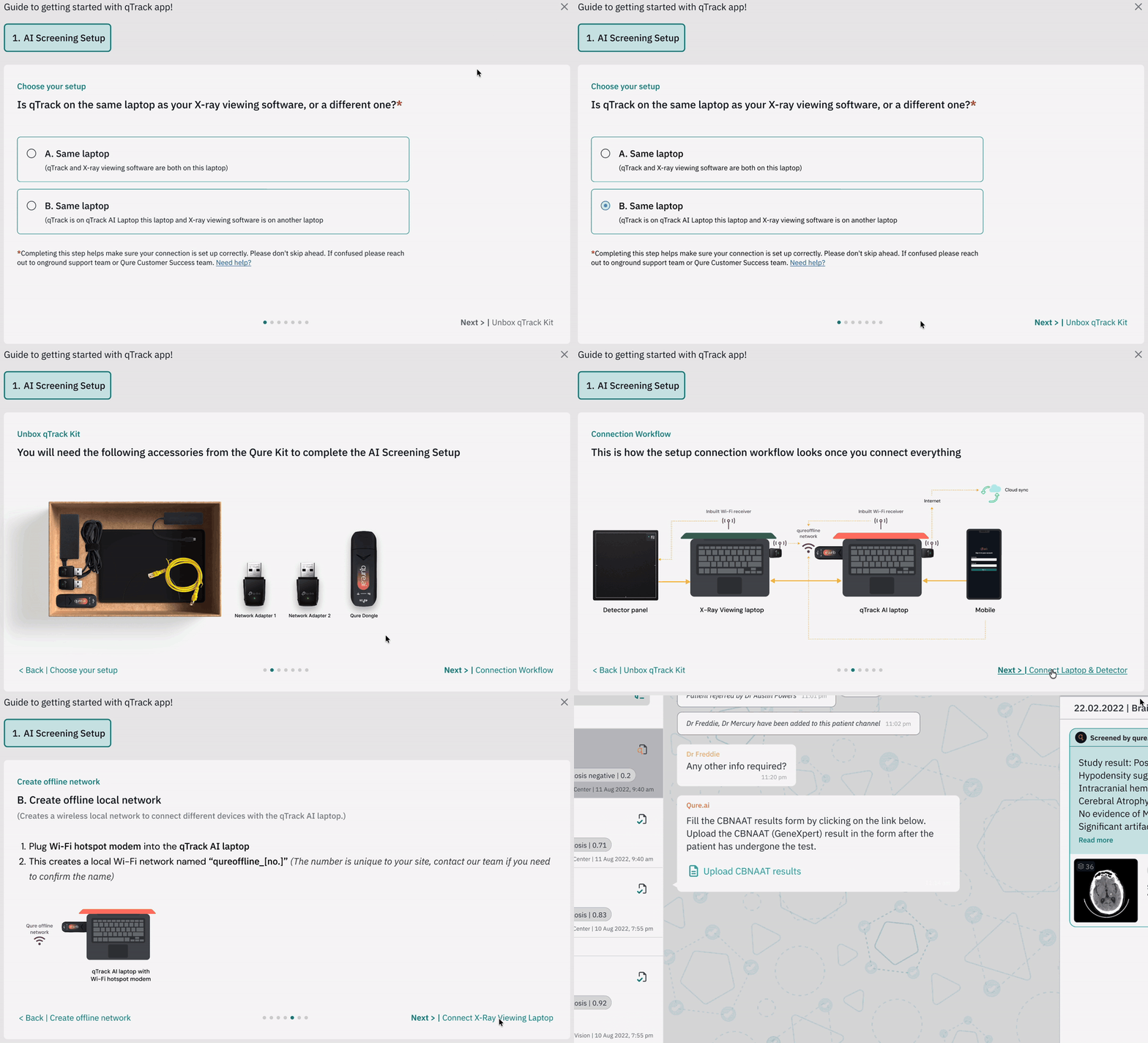
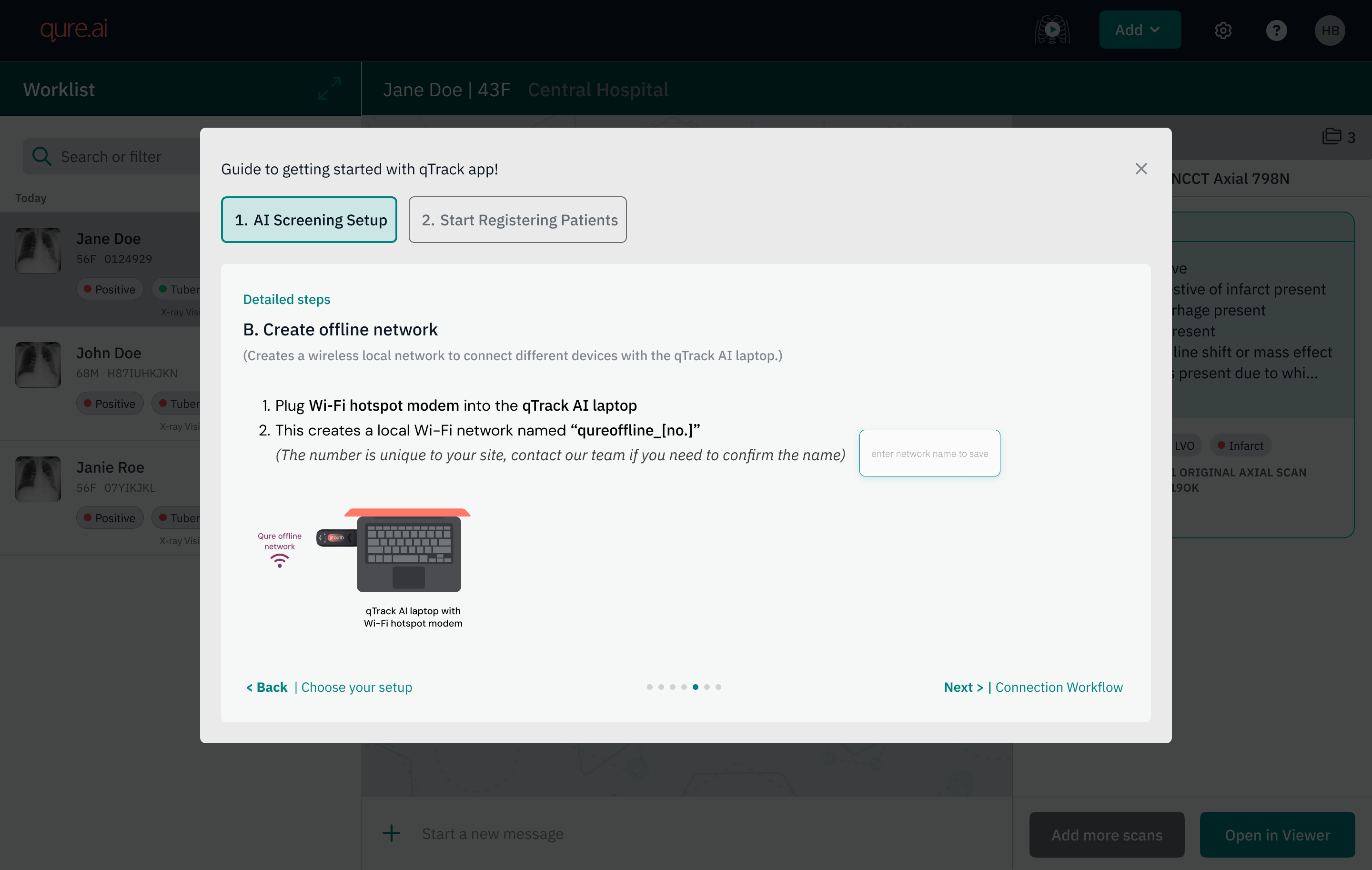
The Start Screening setup flow in qTrack, step by step
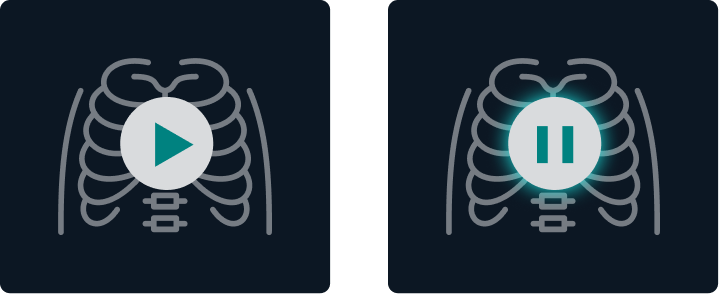
Play and pause style buttons used to start and stop a screening session
Why it looks like play and pause
Design solution
Design solution

Standardizing so hardware and app feel like a single product experience

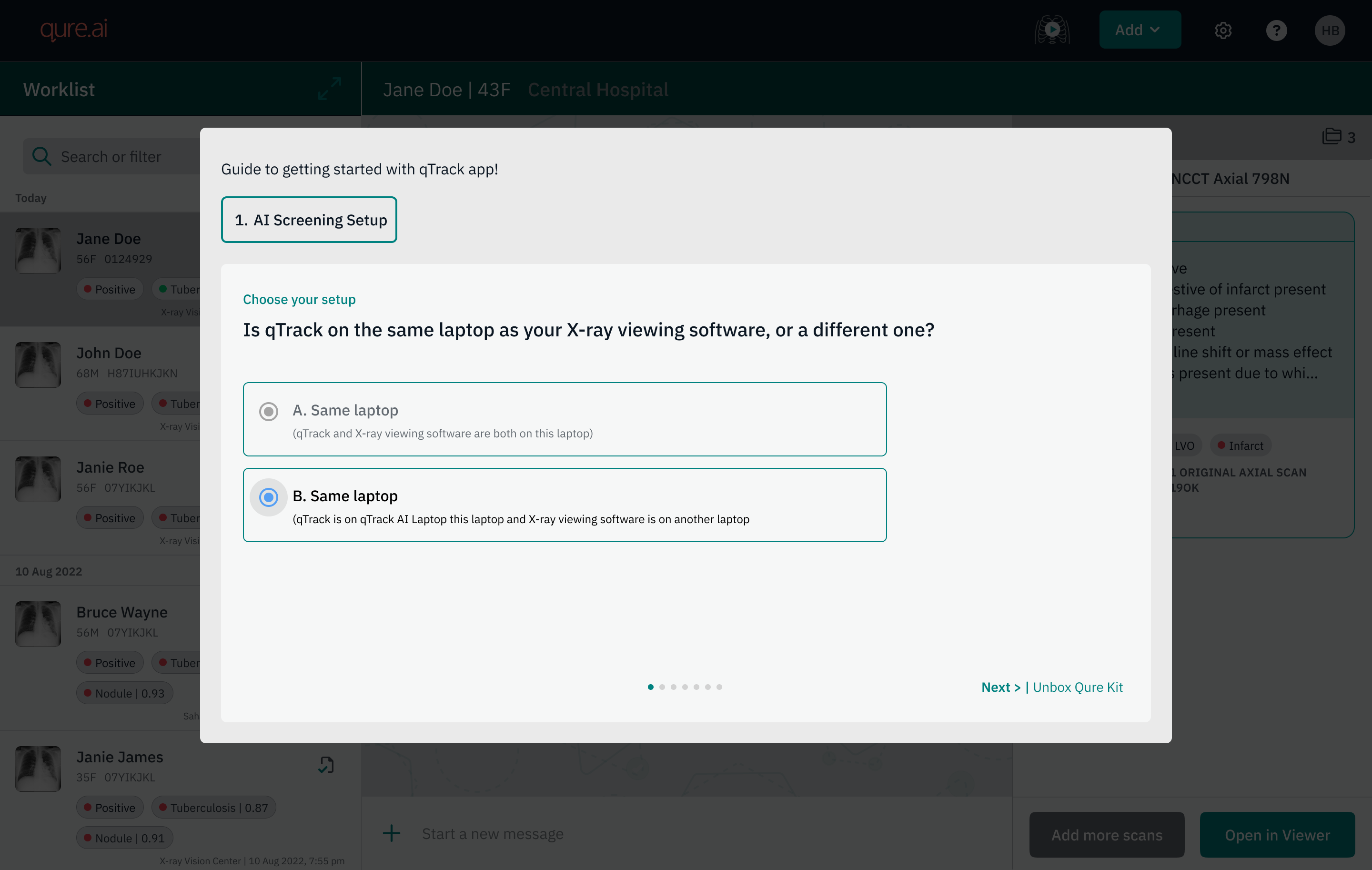
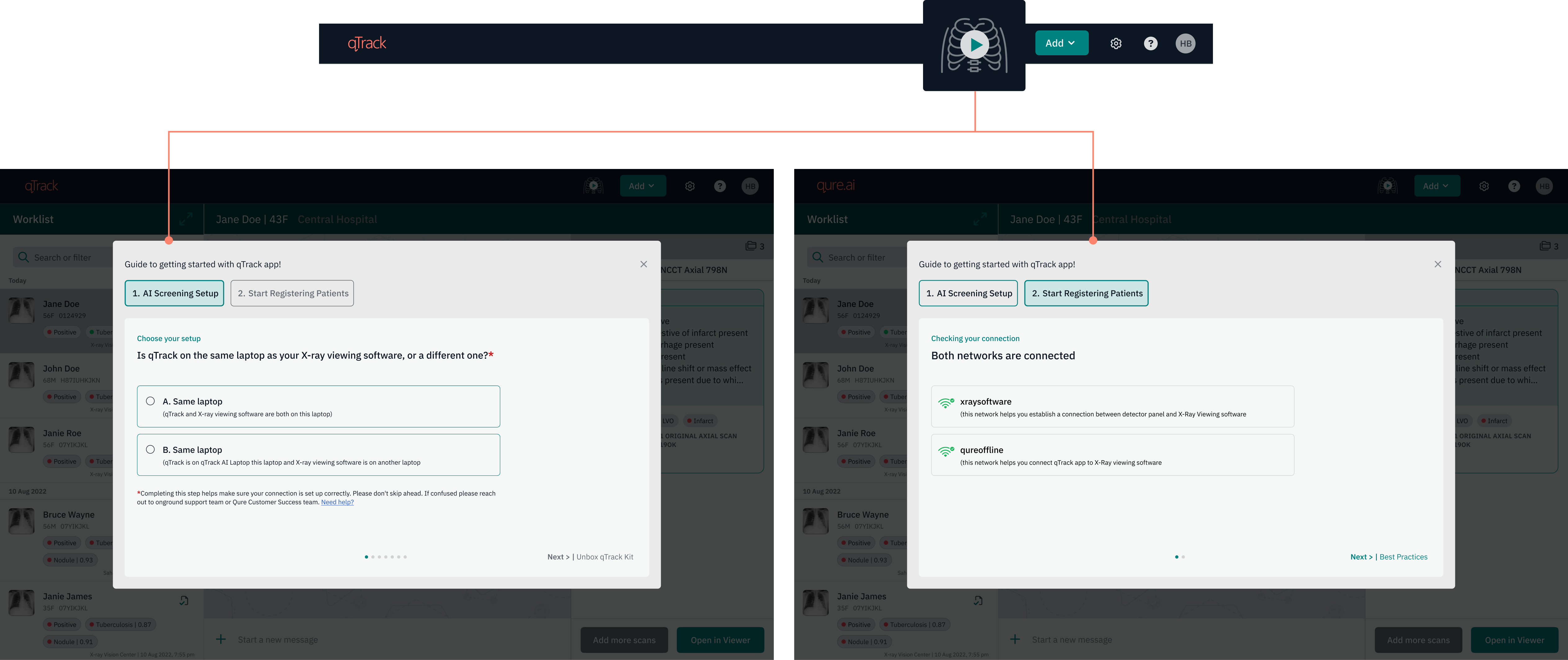
This gave the onboarding workflow two clear configurations to design for: a single laptop running both qTrack and the modality software, or two separate laptops, one for each.

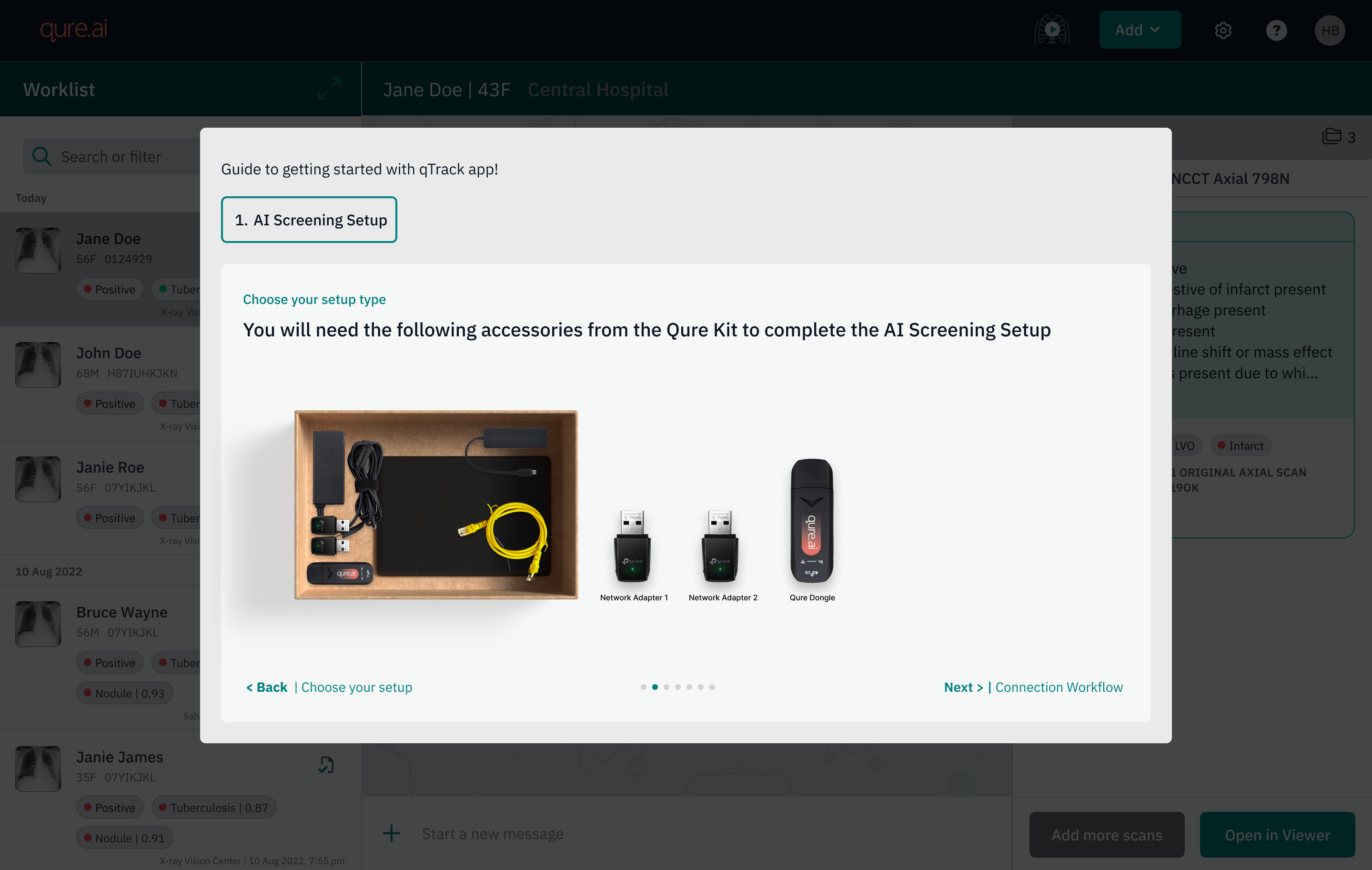
Unbox qTrack Kit step listing the Qure Kit accessories needed for setup

Simplifying technical steps into plain questions non technical users can answer

Narrowing every deployment down to two configurations meant the setup could be written as fixed, simple questions, so reading a question felt like guidance on the next action.

Choose your setup step asking whether qTrack is on the same laptop as the X-ray viewing software
Impact
Org level changes

The problem got reframed across the organization from "a feature isn't working" to "the deployment and setup experience needs to be designed end to end."

Accessories are now pre-configured for every deployment, regardless of site, removing last minute guesswork and confusion.

Operational workflow for TechOps changed

Deployment workflow got streamlined, leaving only two fixed configurations to choose from (one-system or two-system) based on the user's environment.

Reduced dependency on a single experienced person being physically present at each site to make deployments succeed.

Validation

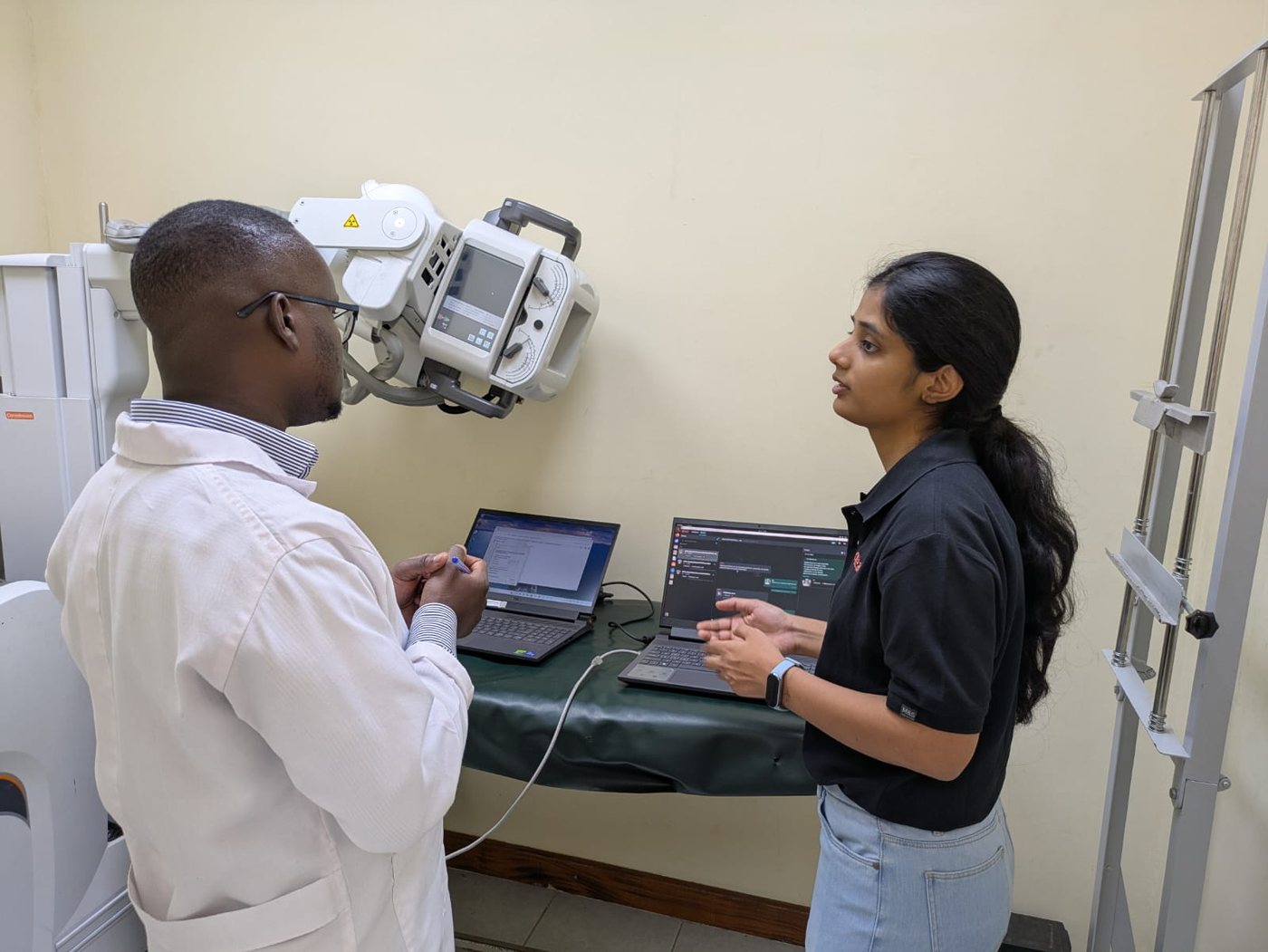
I visited Kenya and tested the new onboarding workflow with two on ground partner teams. They act as Qure's local presence: managing sites, installing qTrack, handling technical issues, and training end users.

They were aware of the on ground chaos that happens when there is no structured way to deploy, but with this new onboarding workflow they had clear choices A & B to choose from and follow the steps.

The validation I needed was:

  • Can you rely on these steps, is there anything else needed which was getting missed?
  • Is it following the same workflow as on ground or not?
Harshita at a site in Kenya, walking a partner through the qTrack setup next to the X-ray machine
On site in Kenya

Redesigning the Screening Camp Deployment and Setup Experience

A crucial entry point feature was being skipped by the users because they found hardware setup too complicated to follow. I solved it by redesigning the experience to bring hardware and app together as one cohesive product and not two separate things.

System Design Product Design Design Research
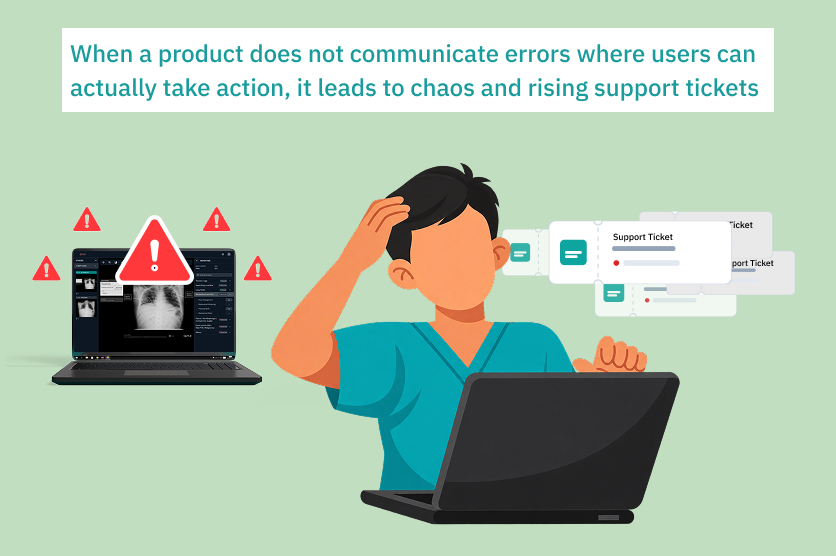
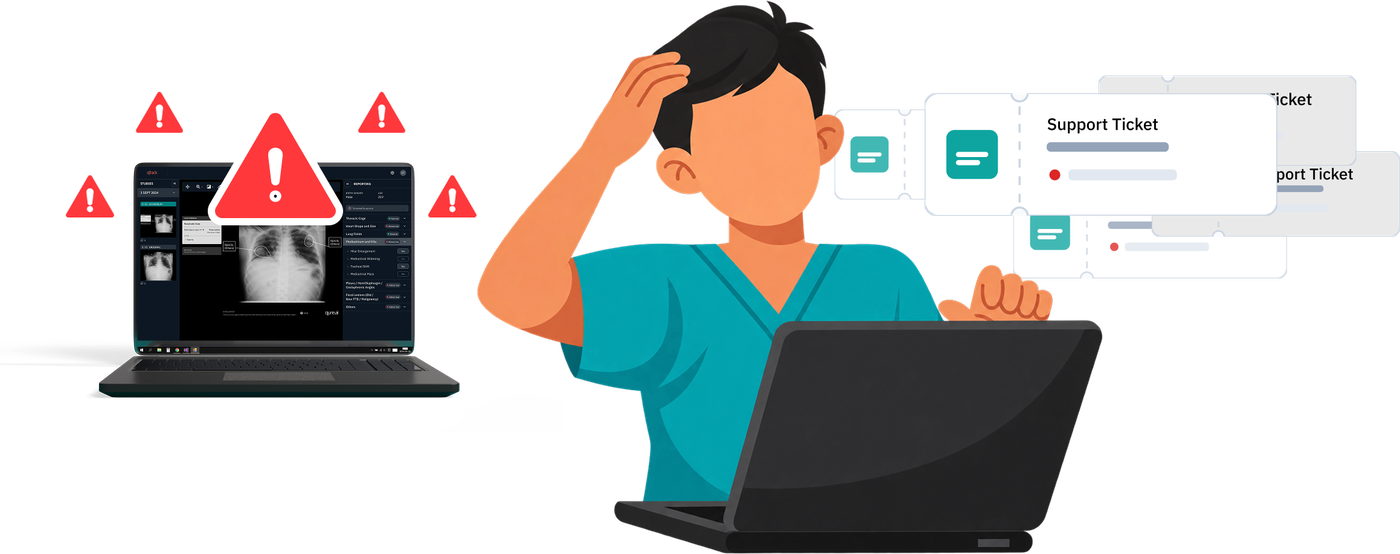
Illustration of a support worker overwhelmed by rising support tickets due to unclear product error messaging
Problem

qTrack is an AI-based chest X-ray screening platform used in TB screening camps across low-resource, low-connectivity environments. These camps are run day to day by healthcare workers - radiologists, radiographers, TB nurses and doctors.

Lead designer, working with Product, TechOps and CS

45–53%

Every quarter tickets were L1 - basic issues that users could resolve themselves.

Leadership raised concerns about the high number of support tickets being raised by clients. A significant share of CS and TechOps bandwidth was going into resolving these issues manually.

Illustration of a health worker overwhelmed by error alerts on the qTrack laptop and piling support tickets
Problem

Product and engineering framed this as a communication and knowledge gap: users did not fully understand how to use qTrack, so this was a training problem, not something going wrong in the product.

The approaches tried to close this gap:

Collaterals

User manuals, one-pagers and self-troubleshooting guides. They had the right information, but were too complex to actually be followed by end users.

Rule-based chatbot

It sent the same collaterals to users as a DIY solution. The success rate of issues being resolved by the bot was very low.

Discovery

The analysis shared by product and engineering did not show the full picture. All the data was technical and quantitative - there was no clear why behind any type of issue.

So I started going through the Jira tickets myself, one by one, to understand both the client and internal team perspectives.

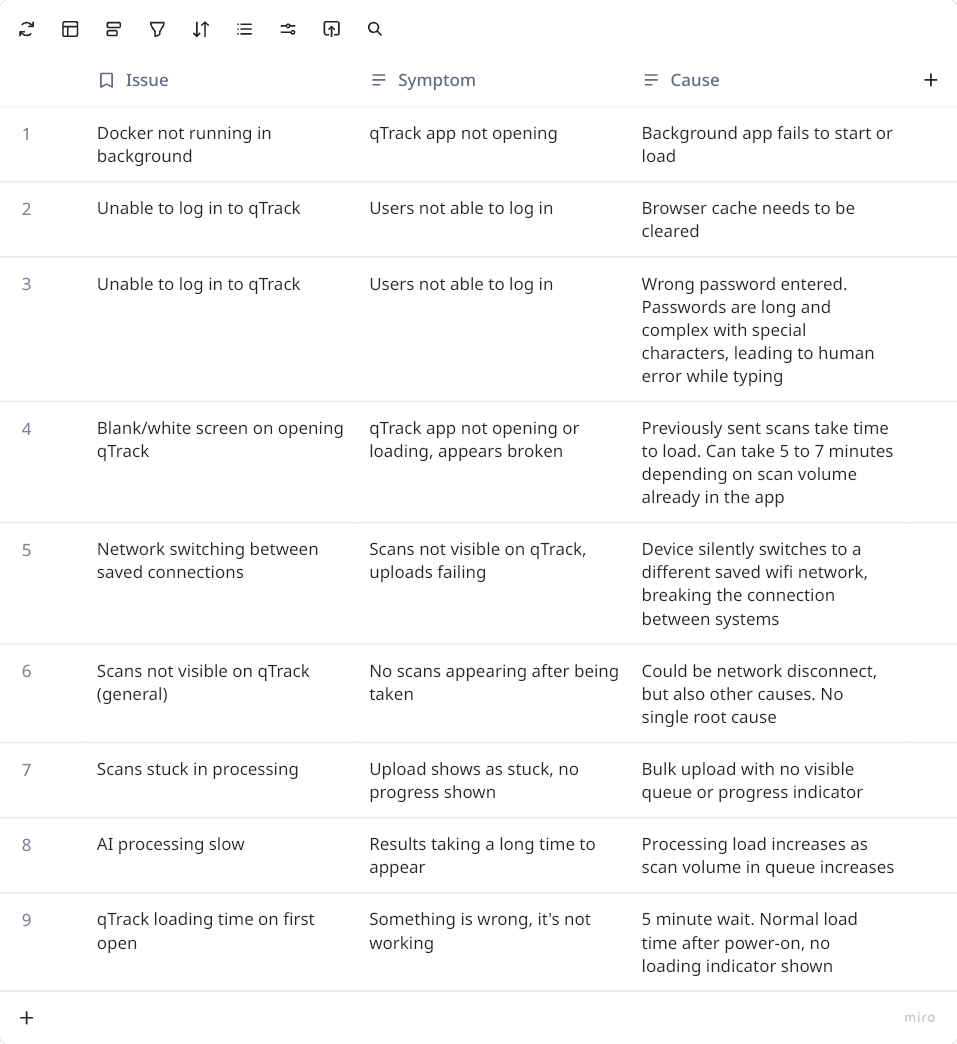
With TechOps, I categorised the issues into a symptom versus cause framework: what the user experienced, versus what was actually going on underneath.

Table mapping each issue to the symptom the user experienced and its underlying cause
Core Insight

“The issues were not happening due to a communication or knowledge gap. Users were not getting any next-step information when something went wrong - qTrack was not communicating when something went wrong, or when an error was about to occur.”

The end users are frontline healthcare workers.
In their day to day, they are not expected to deal with such issues or resolve them.

Doctor with a stethoscope
Clinician
Lab worker at a microscope
Lab technician
Doctor reviewing a chest X-ray
Radiologist
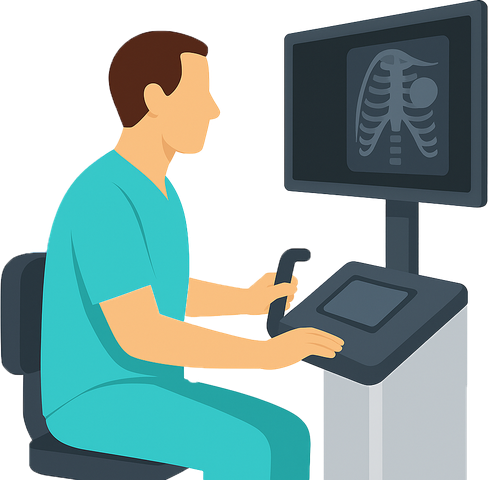
Radiographer at an X-ray machine
Radiographer
Health worker in front of a dashboard
Program manager

These screening camps are high-stress environments. If the product stops working, screening has to stop, so users act from panic and immediately report the issue - which is a natural behaviour.

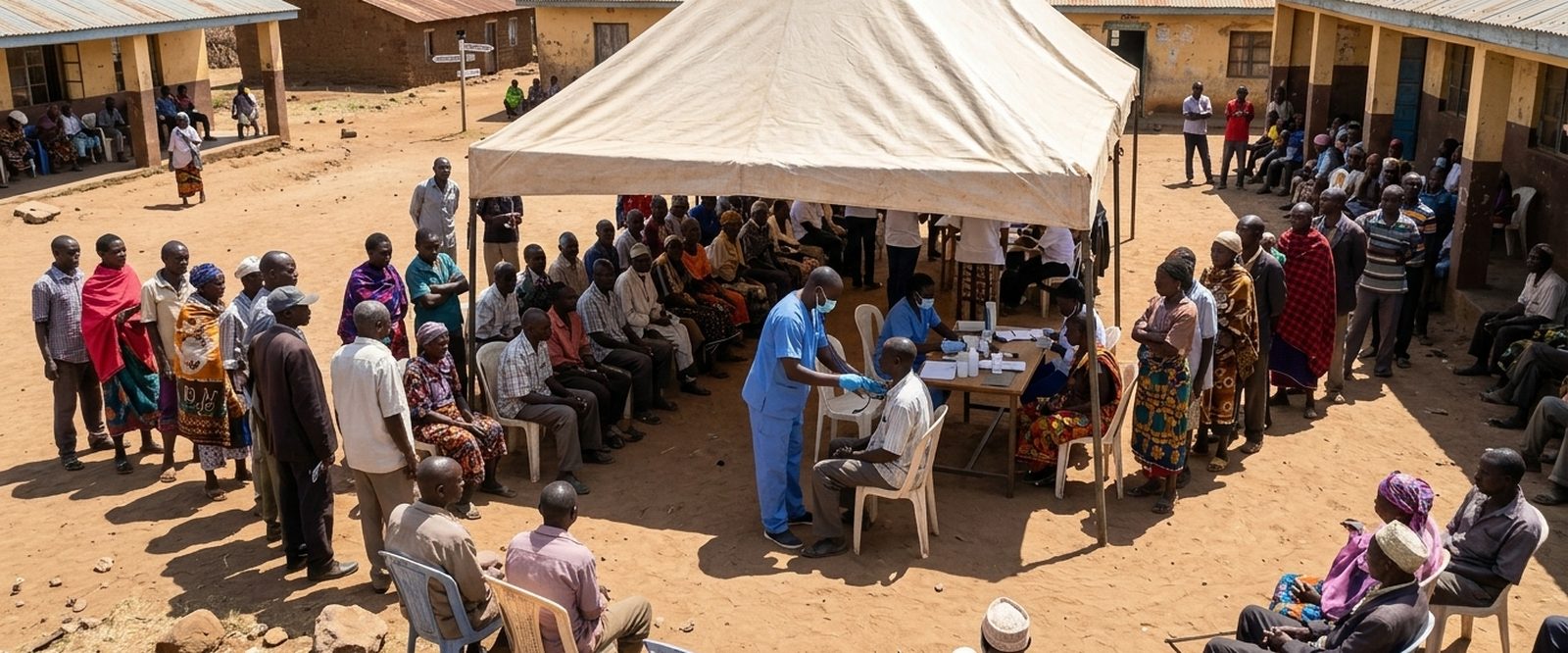
Illustration of a busy outdoor TB screening camp with people queueing under a tent
Generated by AI, for illustration purposes only.
Design solution

There was a need for an environment that supports users in their day-to-day tasks and gives them preventive measures to reduce the chance of errors.

That is how the 'Start Screening' button was added, to mimic the workflow of on-ground users and guide them. It is divided into two main sections: AI Screening Setup and Start Registering Patients.

The Start Screening button opens two sections: AI Screening Setup and Start Registering Patients
Design solution
Users start with the AI Screening Setup

1. Network name field

Users name the network once, at setup. That name becomes the reference point the connection check compares against.

AI Screening Setup step with an input field to save the network name
Users are ready to start registering patients

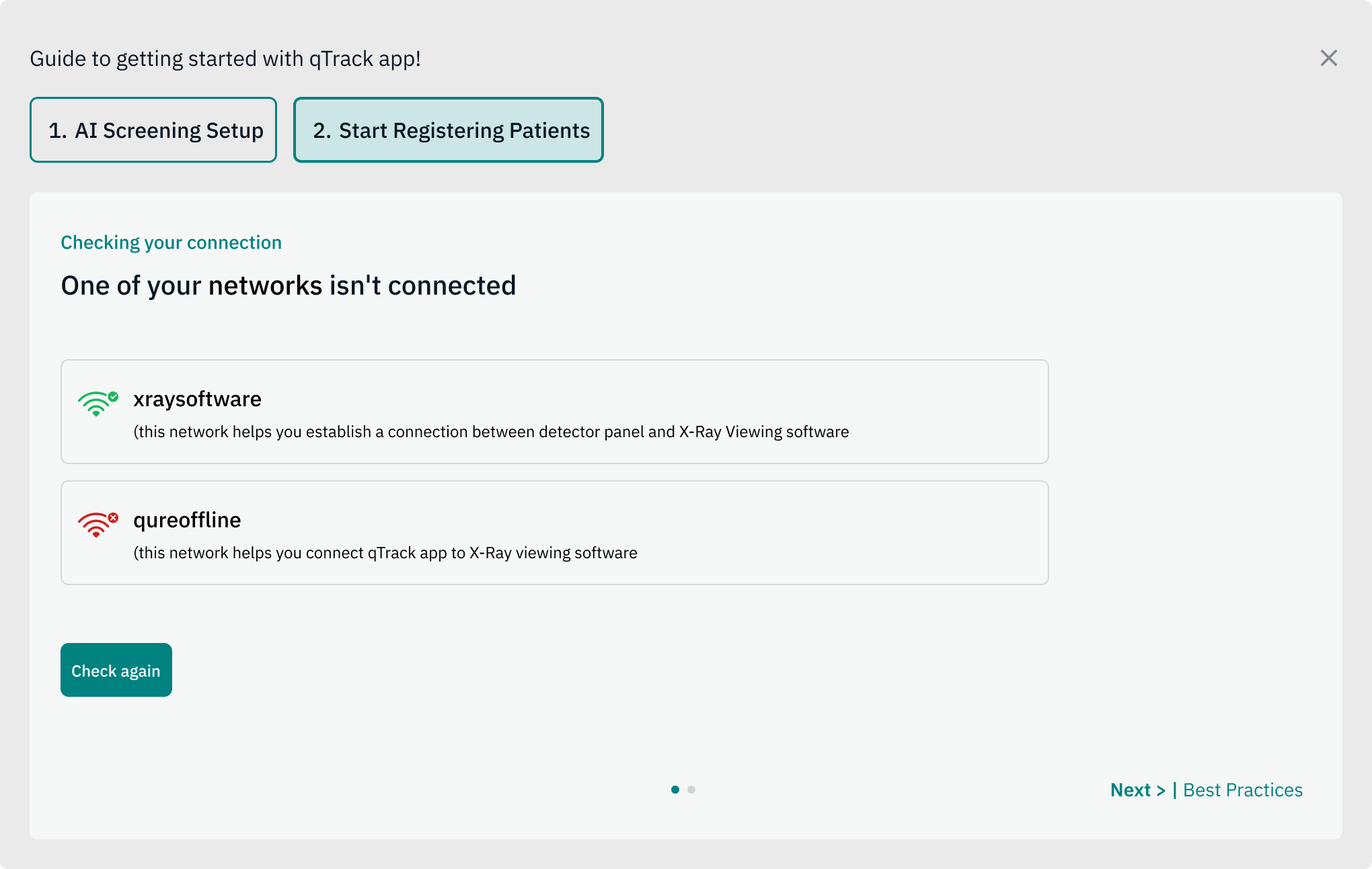
2. Network connection check

The app names exactly which network is missing, rather than a generic "not connected" message.

Connection check naming the network that isn't connected, with a Check again button
Design solution
Camp screening session has started

3. Running session bar

A green bar runs across the top of the screen for as long as a screening session is active. It appears as soon as a user taps "Start Screening" and completes setup, and stays on screen until the user stops the session at the end of the day.

Since screening at a camp runs for hours at a stretch, the bar gives users a constant confirmation that they are still "in session". It also triggers the background checks - like the session check-in prompt and network monitoring - which only make sense while screening is active.

Green session bar running across the top of qTrack during a screening session
Design solution
Checking in between the session

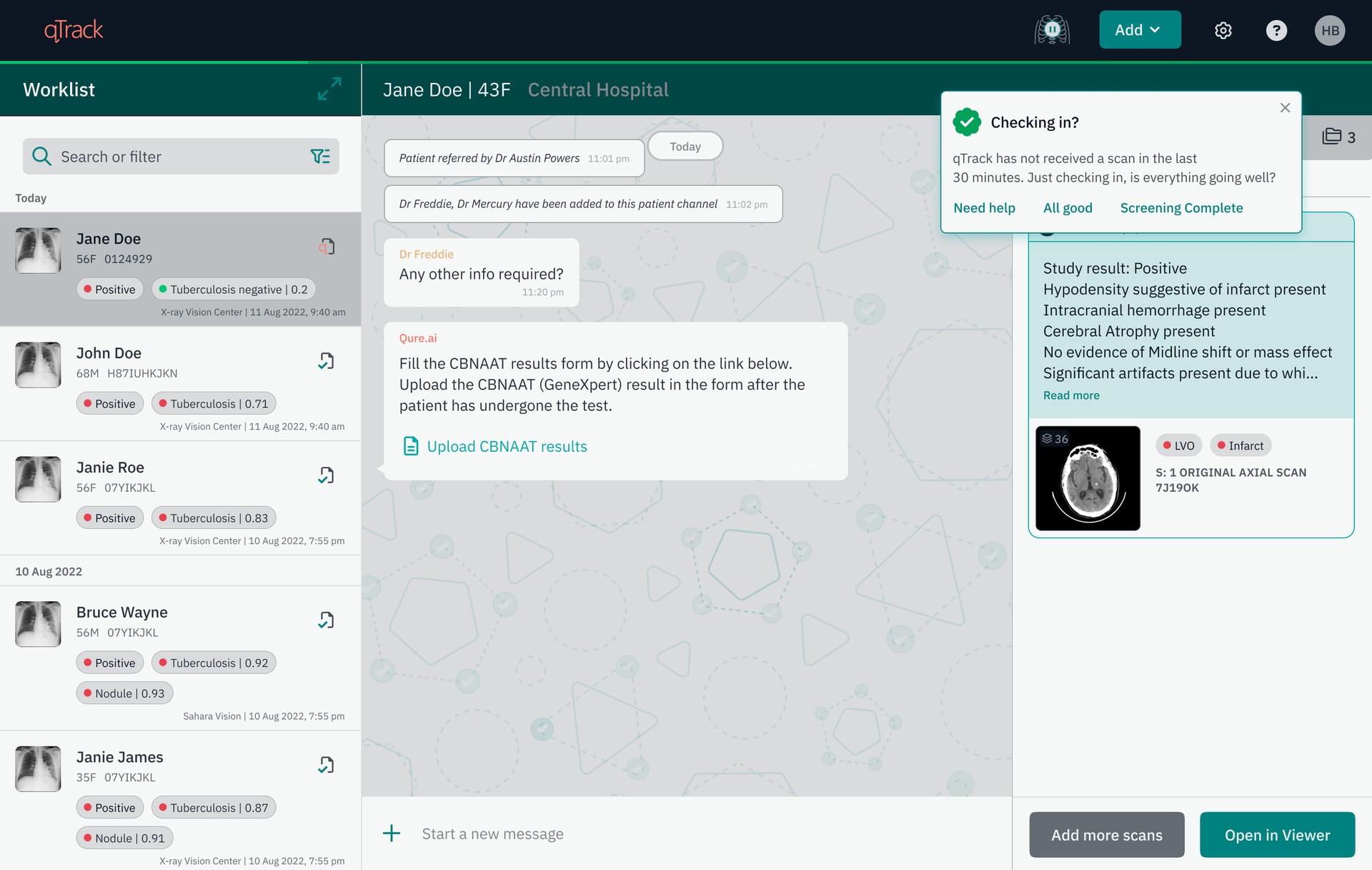
4. Session check-in prompt

If no scan comes in for 30 minutes straight, a check-in prompt appears for the user.

Checking in? prompt in qTrack after 30 minutes without a scan, with Need help, All good and Screening Complete options

5. Mid-session network change

If the network changes while a session is active, qTrack names the change and surfaces it immediately, so users can take action.

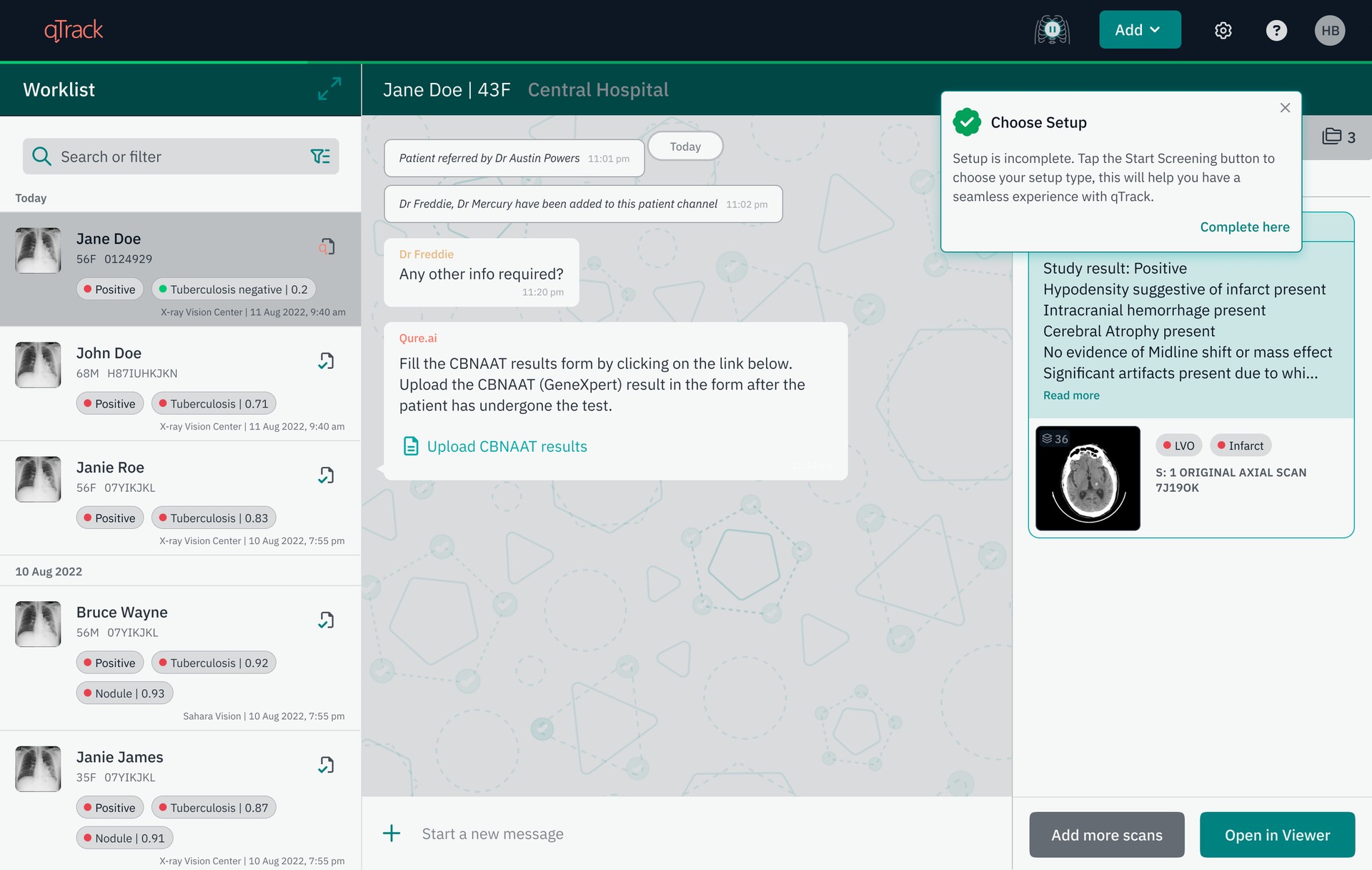
Choose Setup prompt in qTrack telling users setup is incomplete and to tap Start Screening

Designing support experience for onprem systems with no reliable internet

Nearly half of all support tickets were basic issues users could have resolved themselves, but manuals and chatbots were not fixing it. I traced it back to a product that did not communicate when something went wrong, and redesigned the workflow to guide users through problems as they happened instead.

UX Design Product Design

WRITINGS

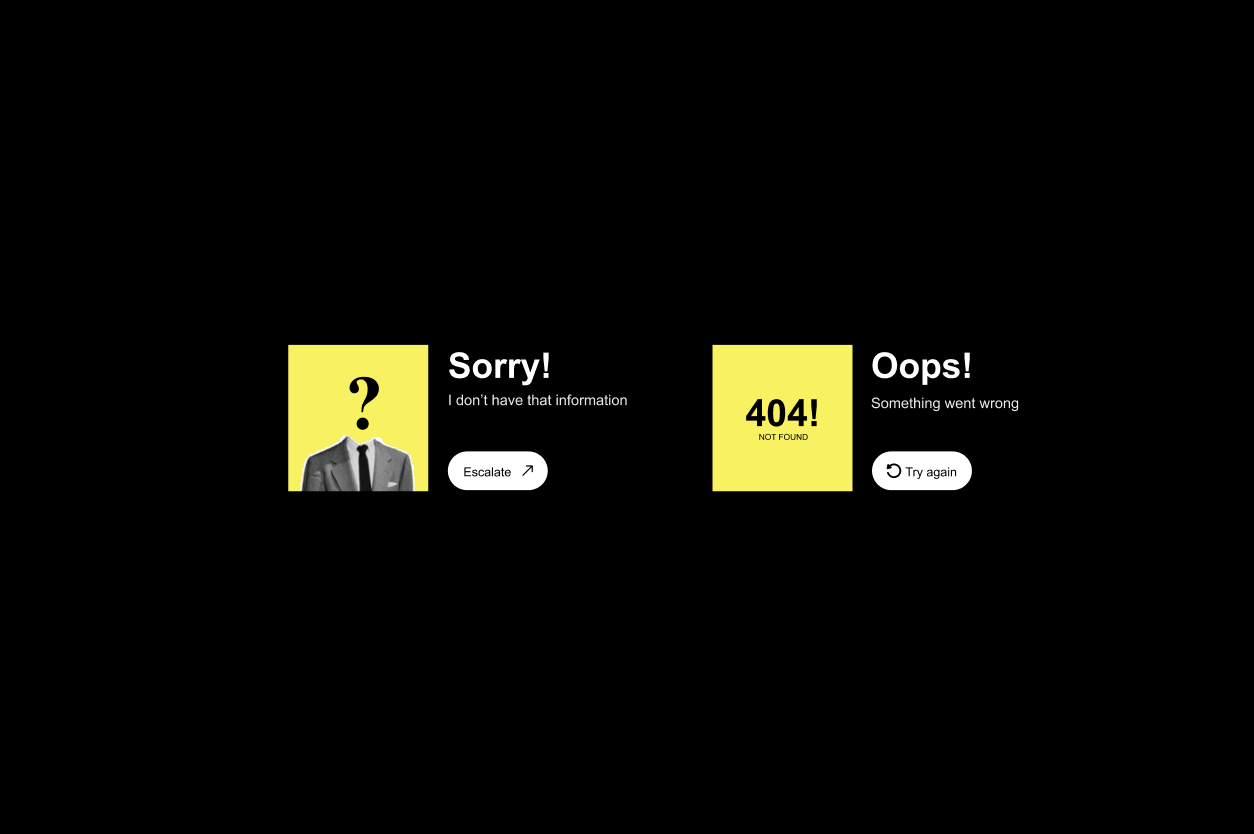
Sorry, I don't have that information / 404 Oops illustration on a black background

Design beyond the interface: Blending human and digital touchpoints

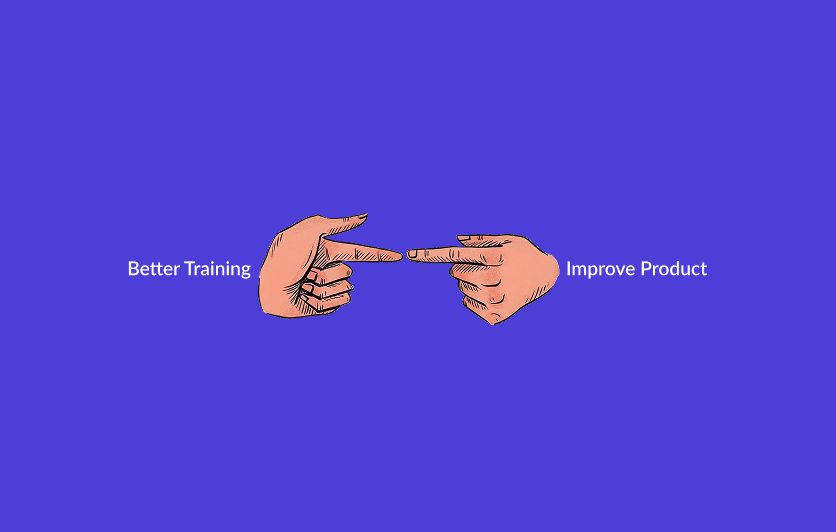
Two hands pointing at each other illustration on a purple background

How to know if the product needs a redesign or just better training?